One back office for every outlet
Designing Fyrefinch, a restaurant operations platform that brings menus, outlets, staff, rotas, reservations, reviews and food-safety compliance into one place for multi-site owners.
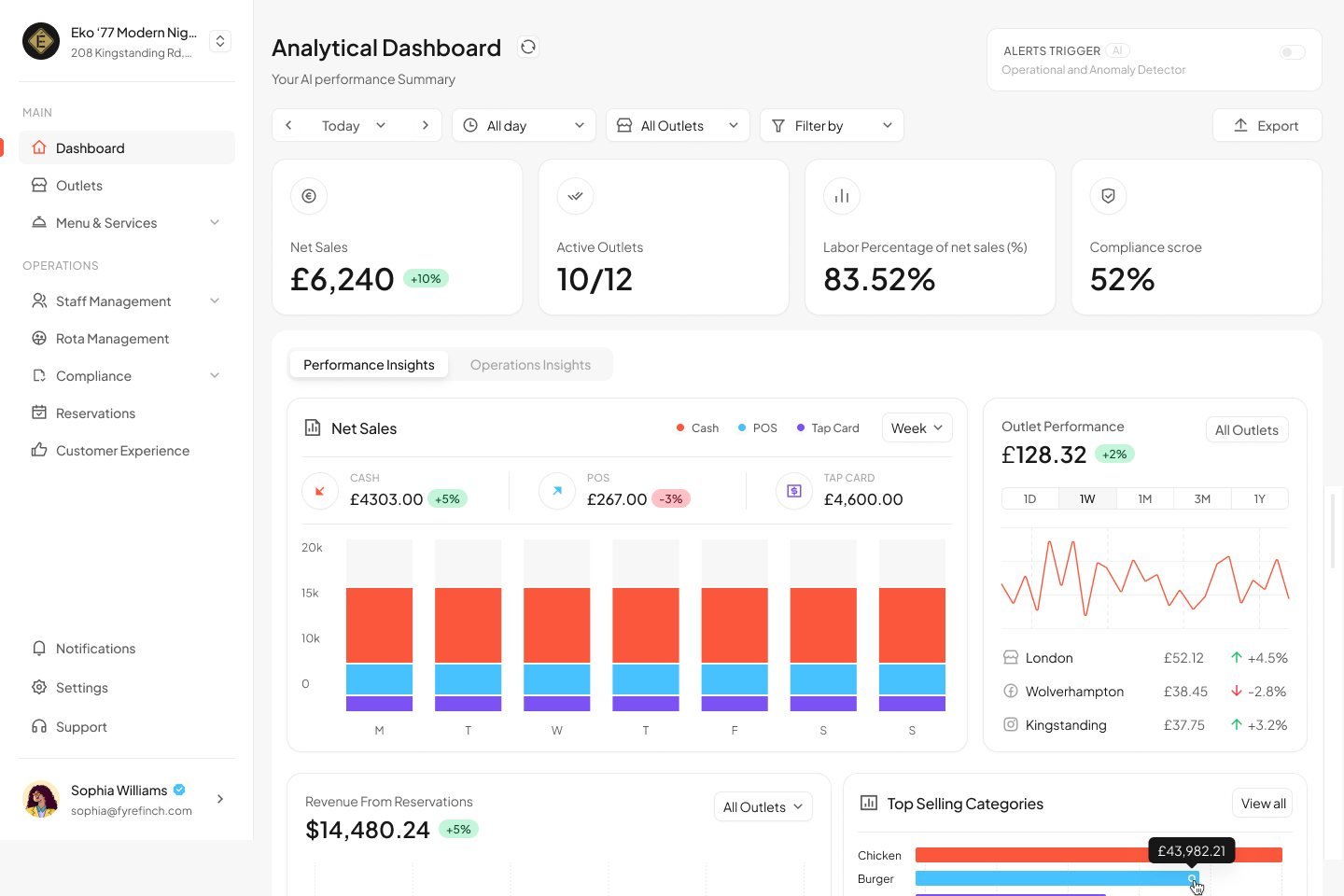
Running a restaurant group meant running six tools
Owners with more than one site were stitching the business together by hand. Each job lived somewhere different, and none of them talked to each other.
Menus typed twice
The same menu already lived on Uber Eats, Deliveroo or Just Eat, but had to be rebuilt item by item in every new system.
No view across outlets
Sales, staffing and bookings were checked site by site, so problems at one outlet surfaced late.
Compliance on paper
Temperature logs, training certificates and hygiene checks were scattered, and owners only found gaps when an inspector did.
Reviews everywhere
Google, TripAdvisor and Booking.com each held part of the customer story, with no single response queue.
How might we give a multi-site owner one place to set up, run and improve every outlet?Design challenge
Four principles that shaped every screen
Eight modules had to feel like one product. These rules kept decisions consistent across all of them.
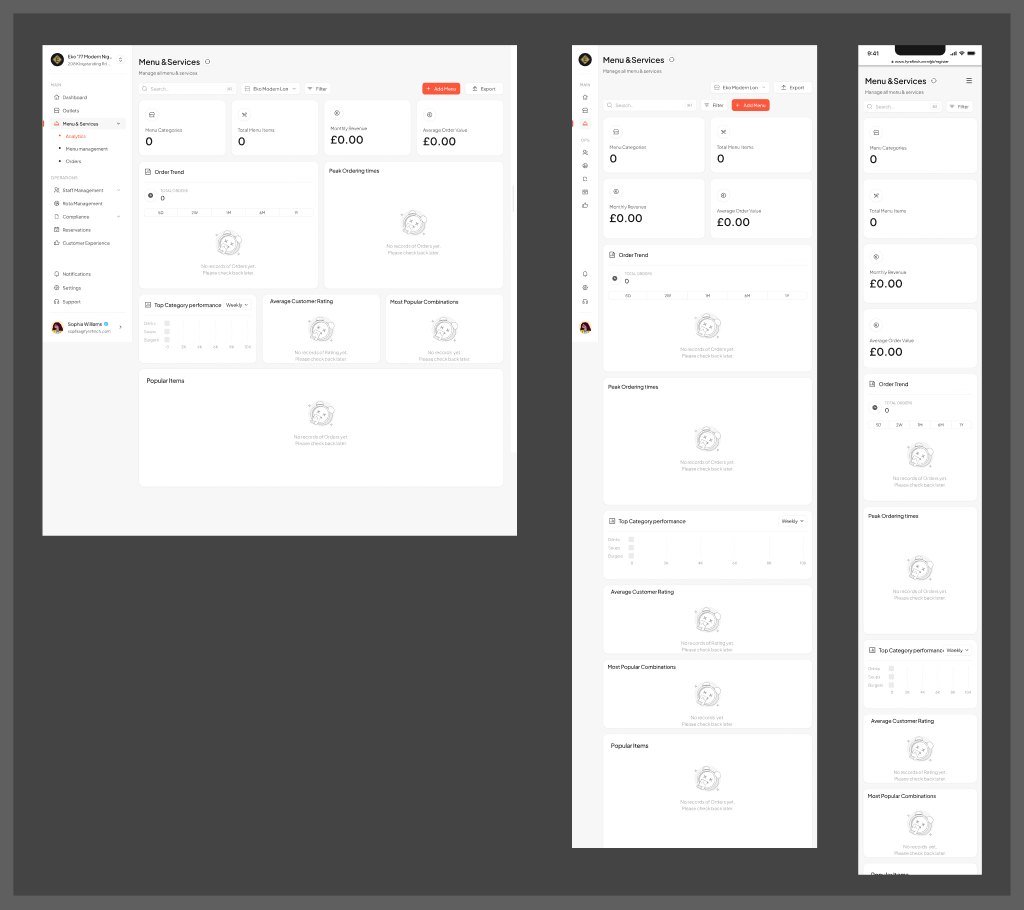
Every empty state is a next step
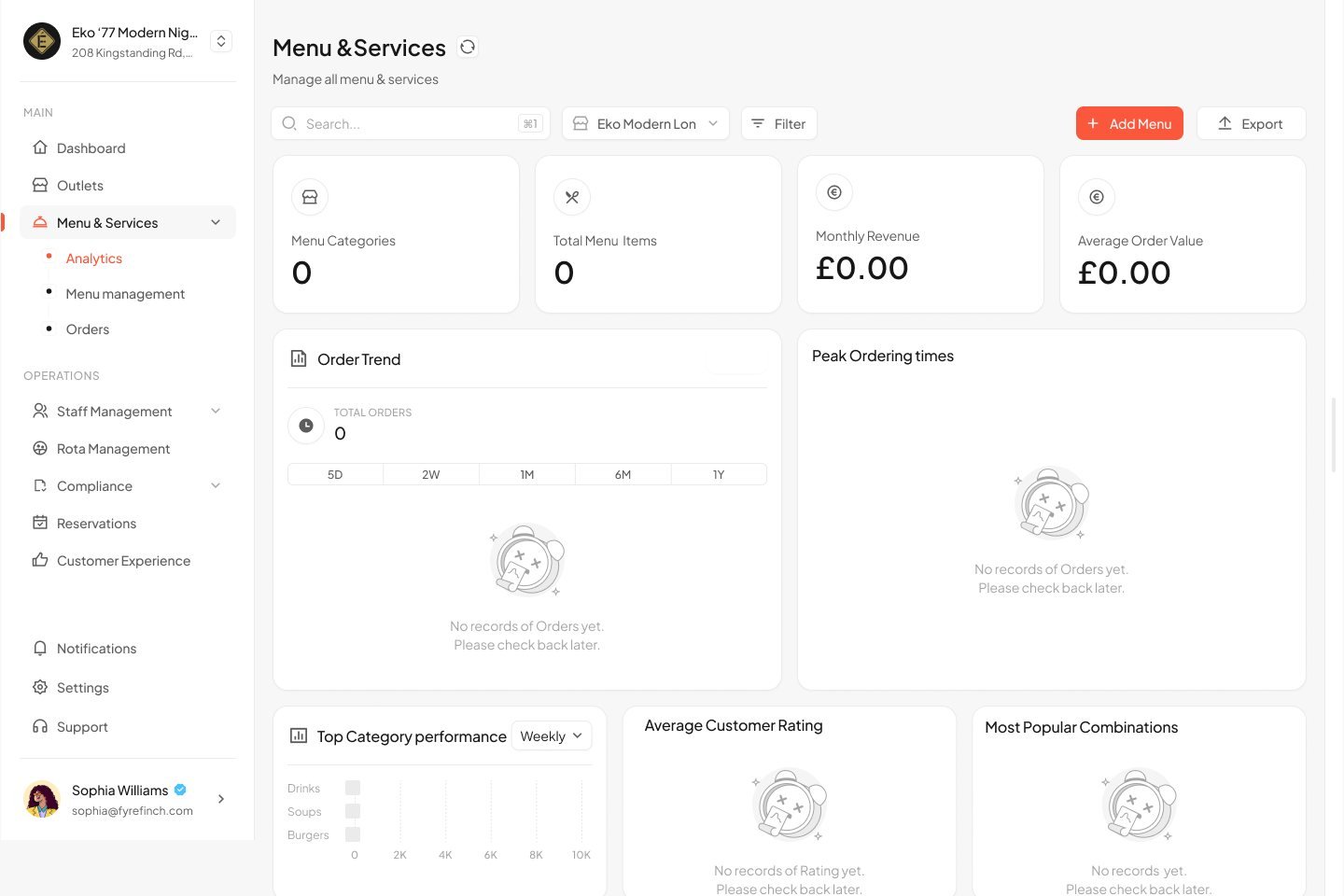
A new account never shows a blank page. Each empty screen explains what will appear and the one action that fills it.
One view, filtered down
Every module opens across all outlets, with the same outlet, date and sort controls in the same place to narrow it down.
Surface what needs attention
Capacity alerts, expired certificates and no-shows are shown in colour and words, so a scan finds the problem.
Edit without leaving the page
Creating and editing happen in side drawers, so owners keep their place in a list or dashboard.
The product covers eight modules. Jump to any of them:
A dashboard that sets itself up
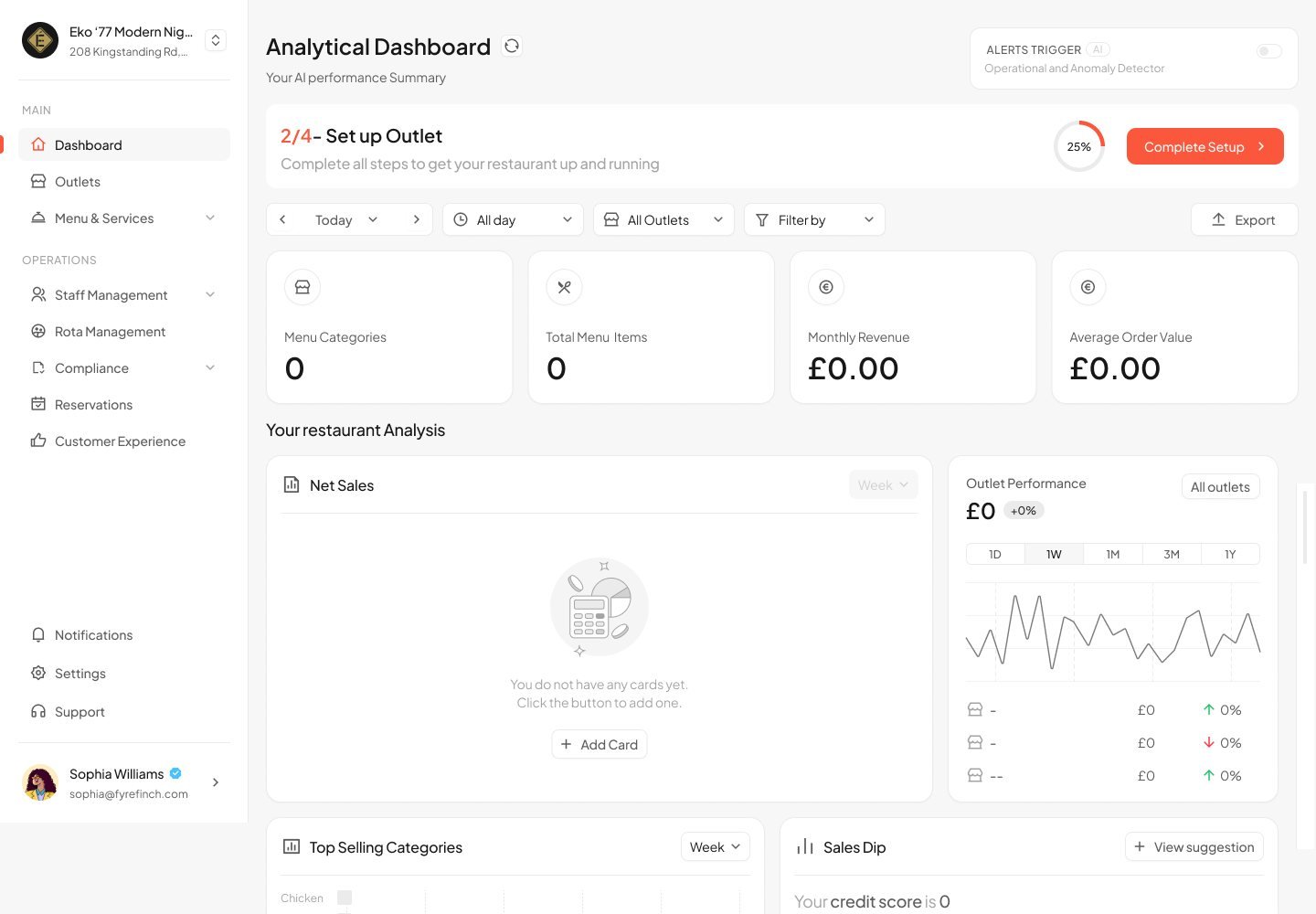
A new owner lands on a dashboard with nothing in it. Instead of a separate wizard, setup lives on the dashboard as a progress card.
Progress stays visible. A "2/4 Set up Outlet" card with a progress ring sits above the analytics, so owners always know what is left.
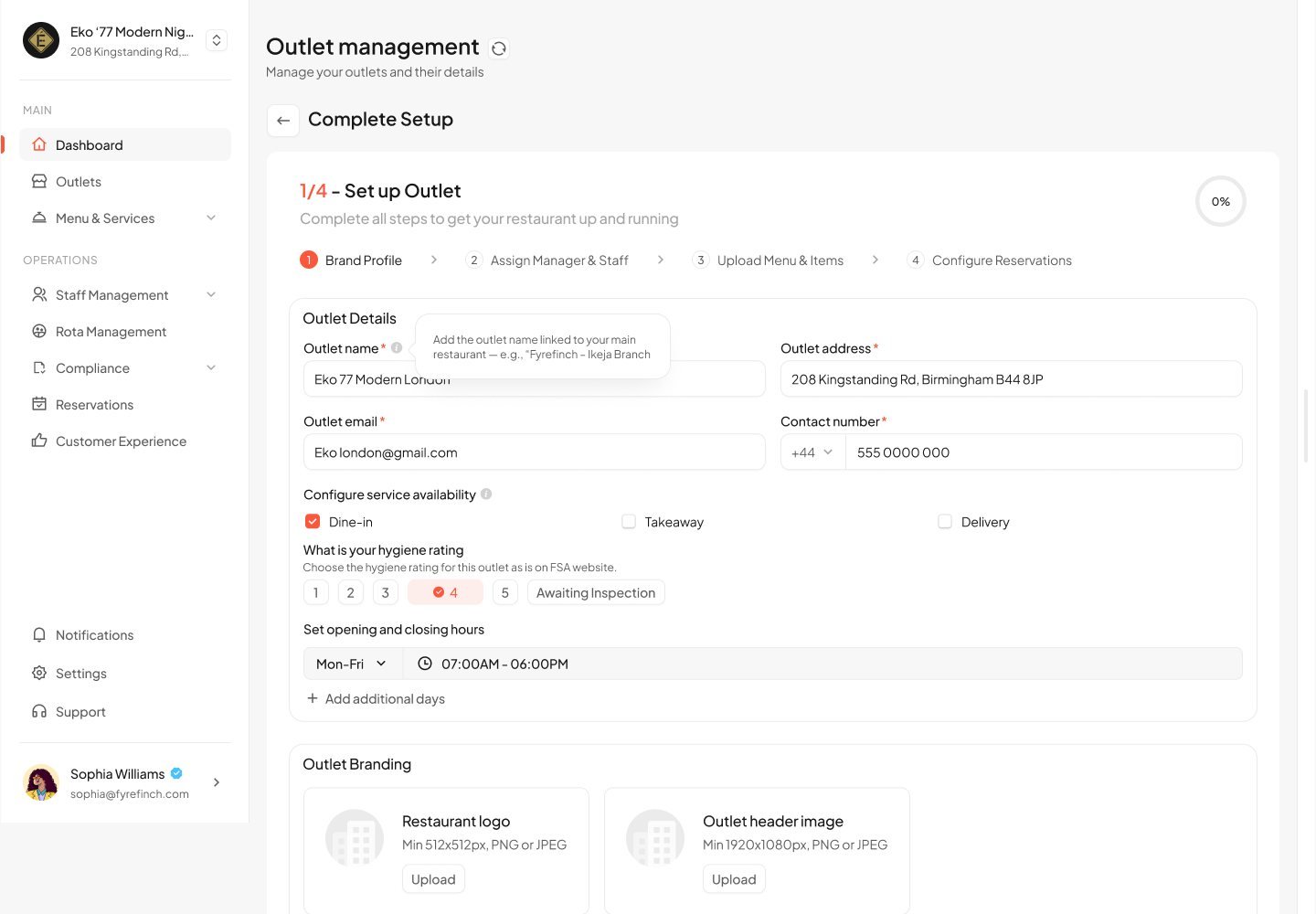
Four clear steps. Brand profile, manager & staff, menu, then reservations. Each step opens the real module, not a throwaway form.
Import a whole menu instead of retyping it
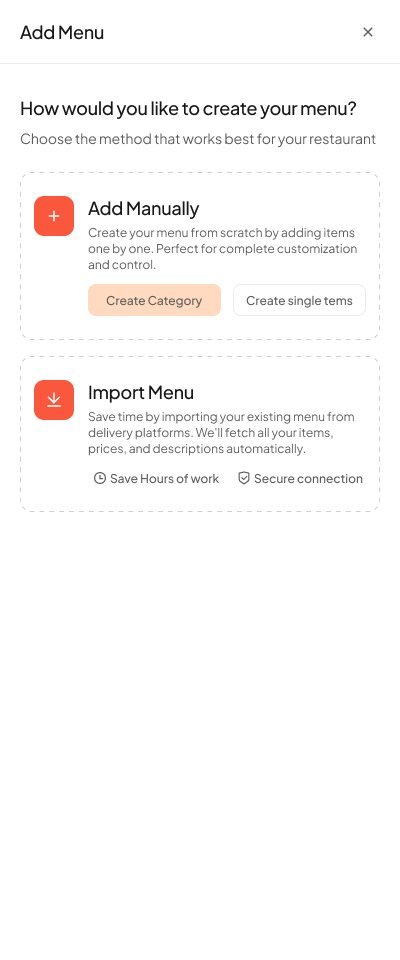
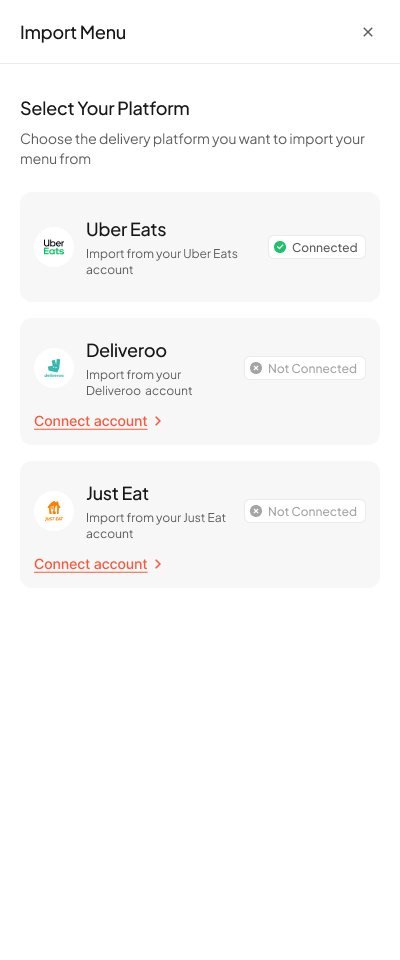
The flow with the biggest time saving. Most owners already had a full menu on a delivery app, so we let them bring it in rather than rebuild it.
Two ways in. Manual setup for new restaurants; import for those already on a delivery platform. Both start from the same drawer.
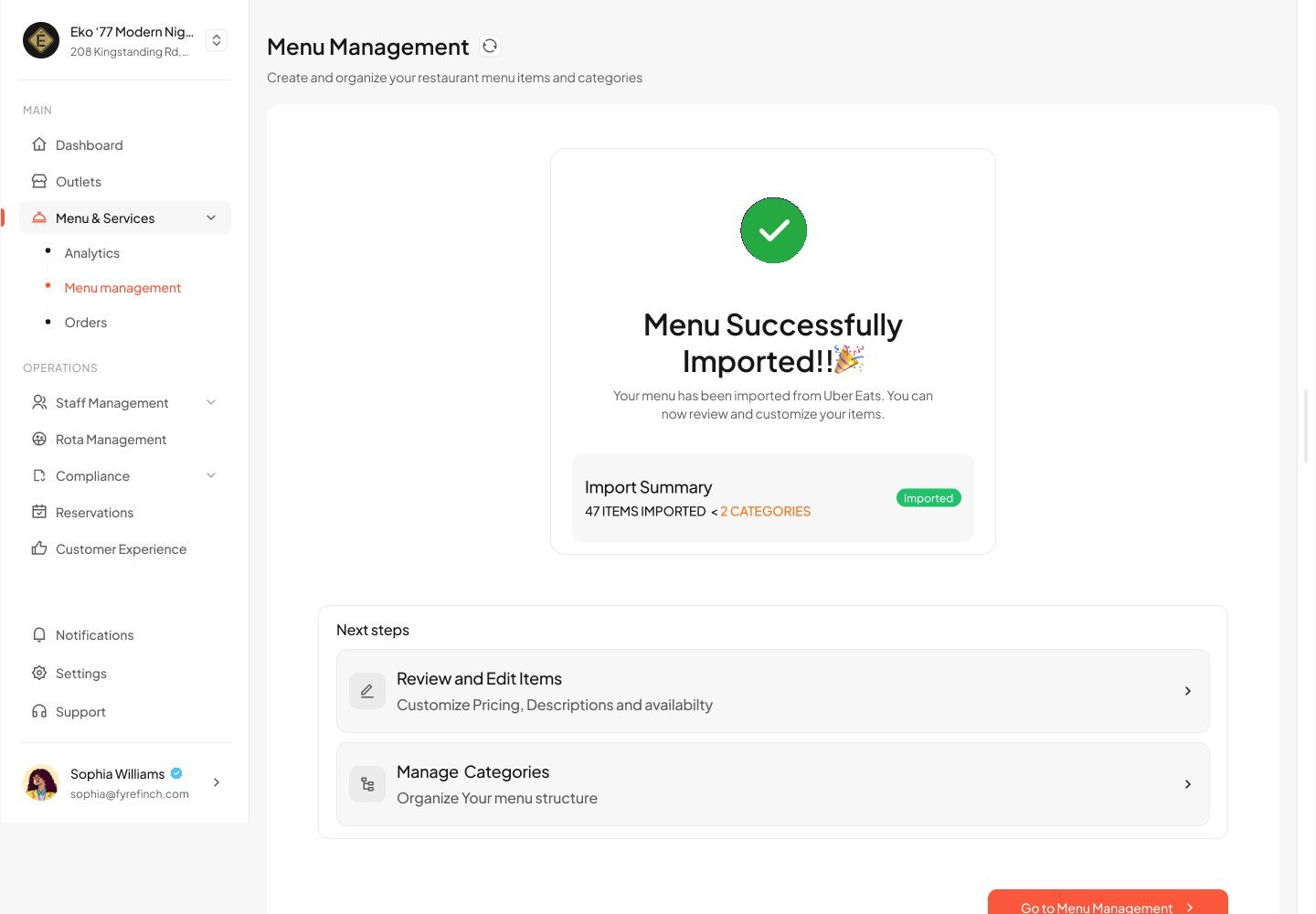
Preview before committing. Imported categories and items are reviewed before anything goes live, so owners stay in control of their data.
No dead ends. The success screen leads straight to the next jobs: review items or organise categories.
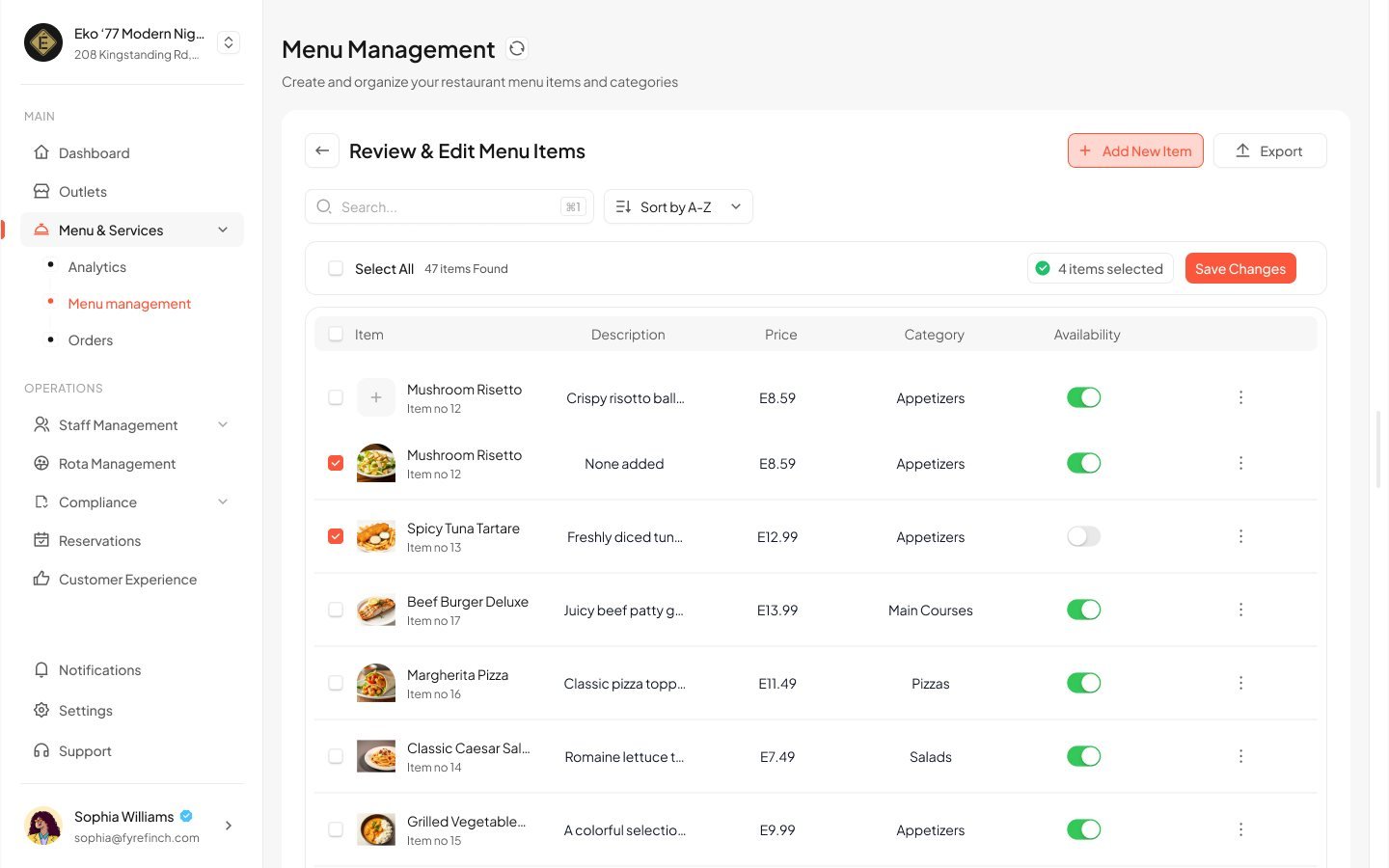
Bulk fixes. Imported data is rarely perfect, so items can be selected in bulk and saved in one go.
Every site on one map, each with its own rules
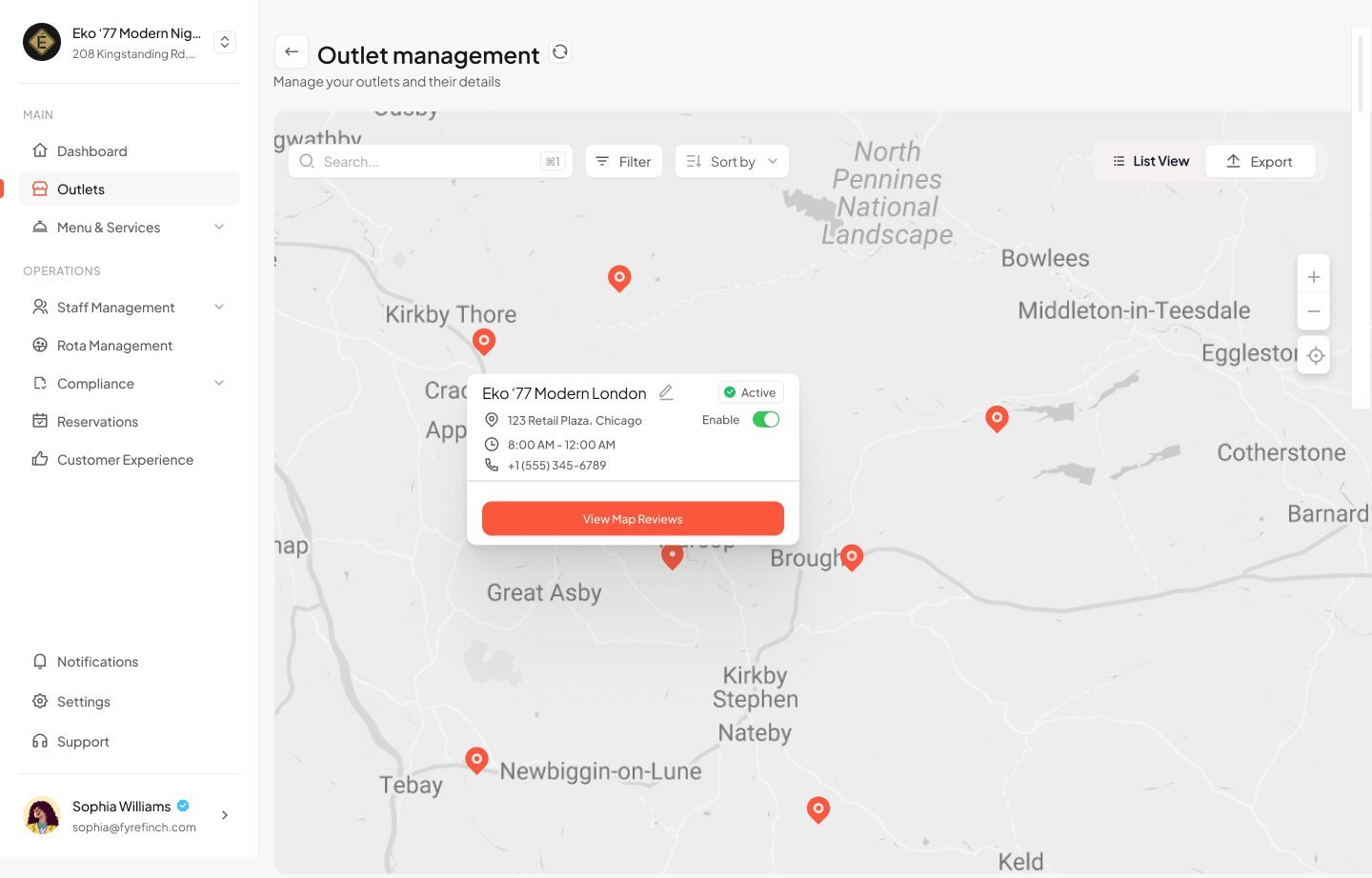
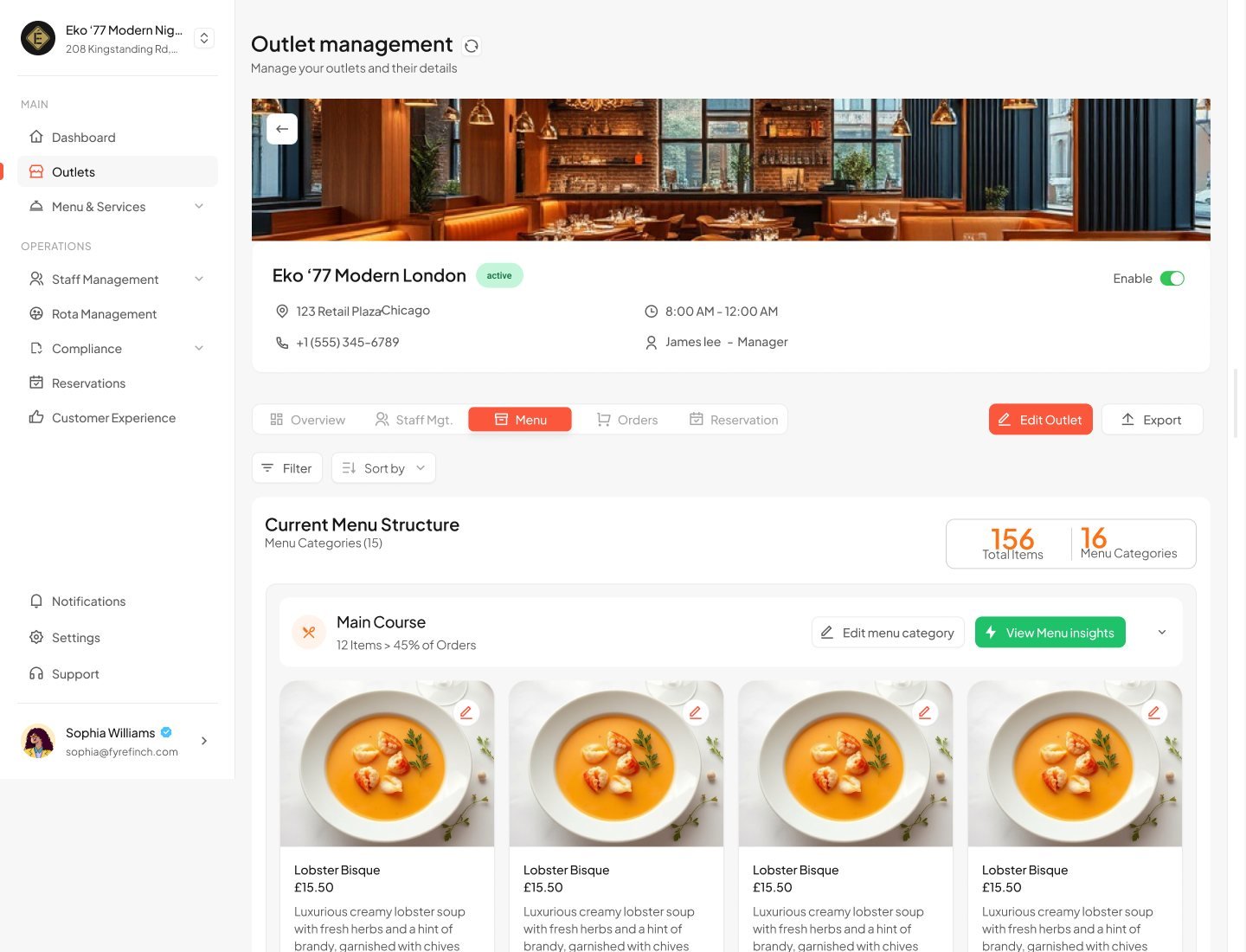
Owners think about their business geographically. Outlets can be browsed as a list, cards or a map, then opened for detail.
Map view. Pins open a summary card with status and address, so owners can find a site the way they picture it.
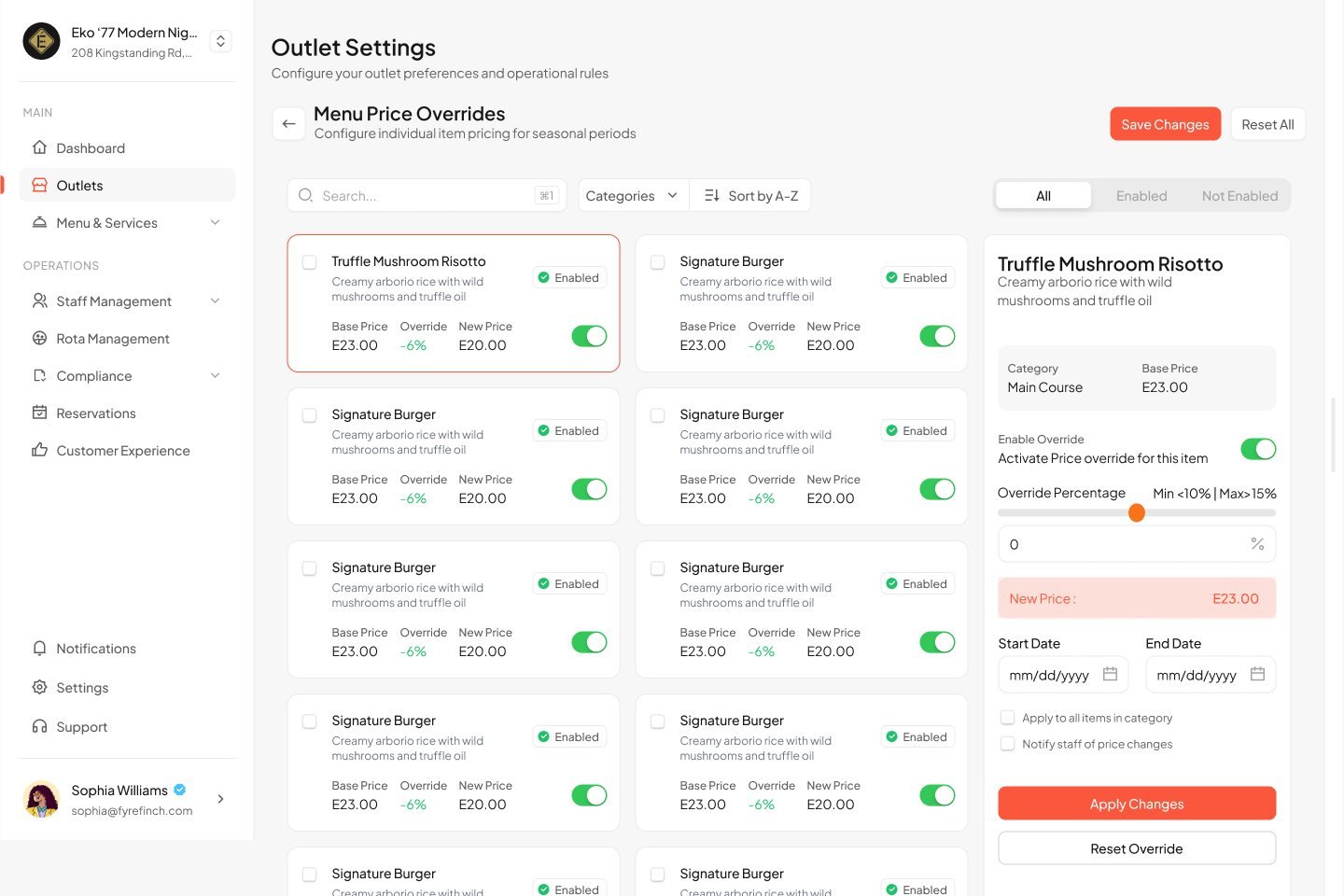
Price overrides per outlet. One shared menu, with time-boxed price changes per item. Owners set a percentage within a safe range and see the new price instantly.
Rehearse the inspection before the inspector arrives
The standout feature. Fyrefinch reads hygiene logs, training records, temperature checks and documents, then simulates an FSA-style inspection score.
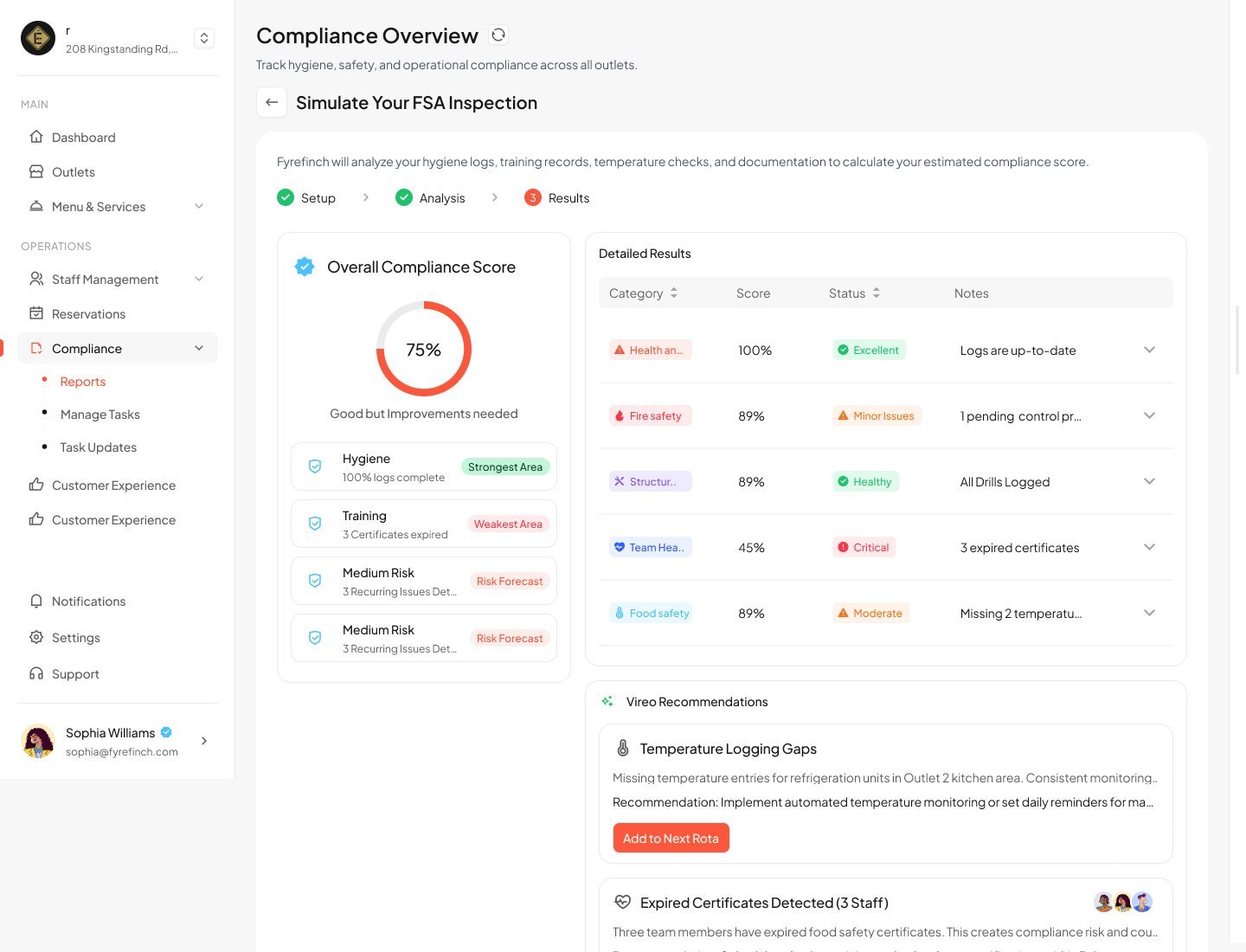
Name the weakest area. A score alone causes worry. Pairing it with "Strongest area" and "Weakest area" tells owners where to act first.
Status in words and colour. Excellent, Healthy, Minor issues, Critical. The label carries the meaning so it never depends on colour alone.
Tasks close the loop. Any gap can become a compliance task with an owner, frequency and checklist.
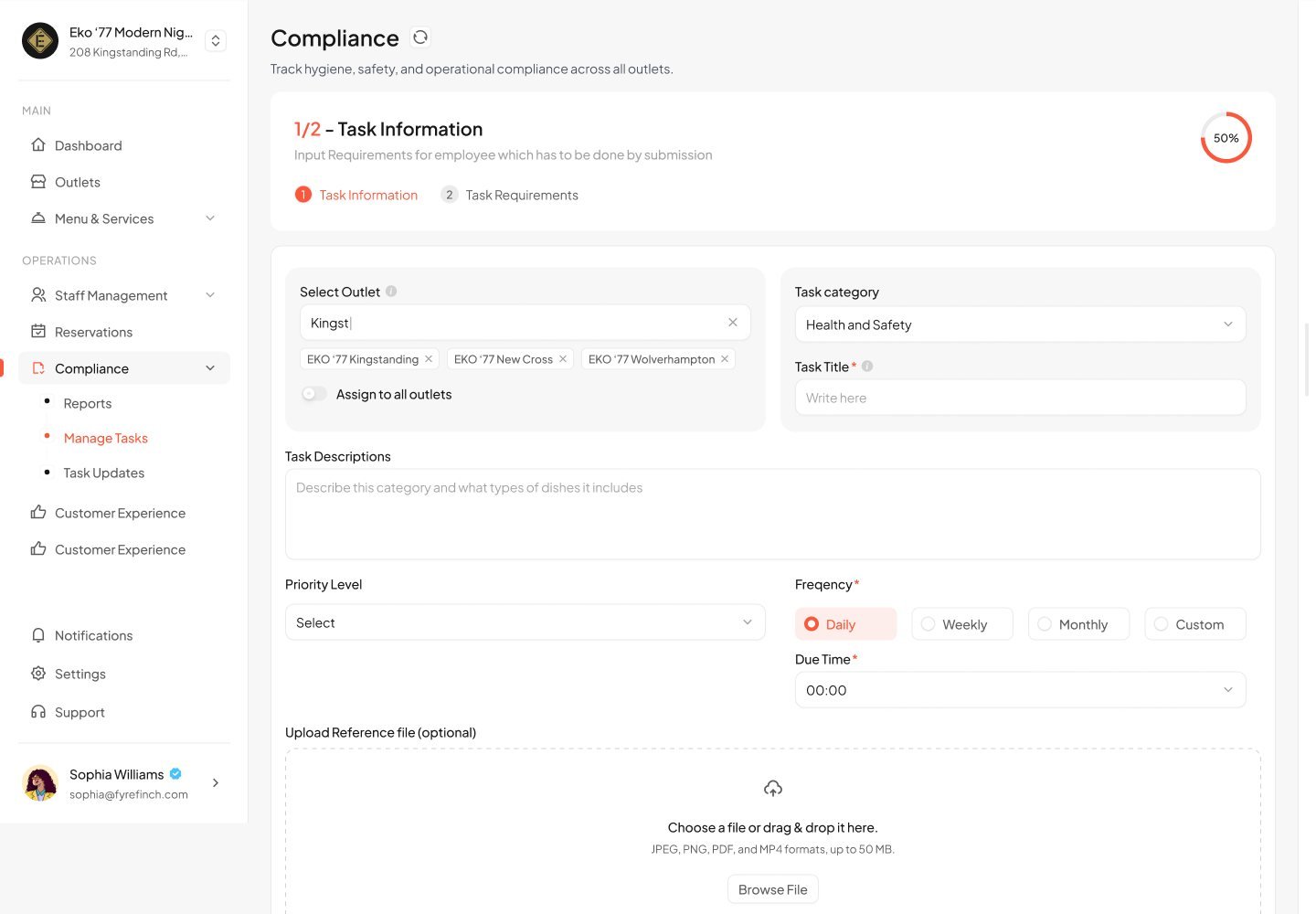
The system warns you before the dining room fills up
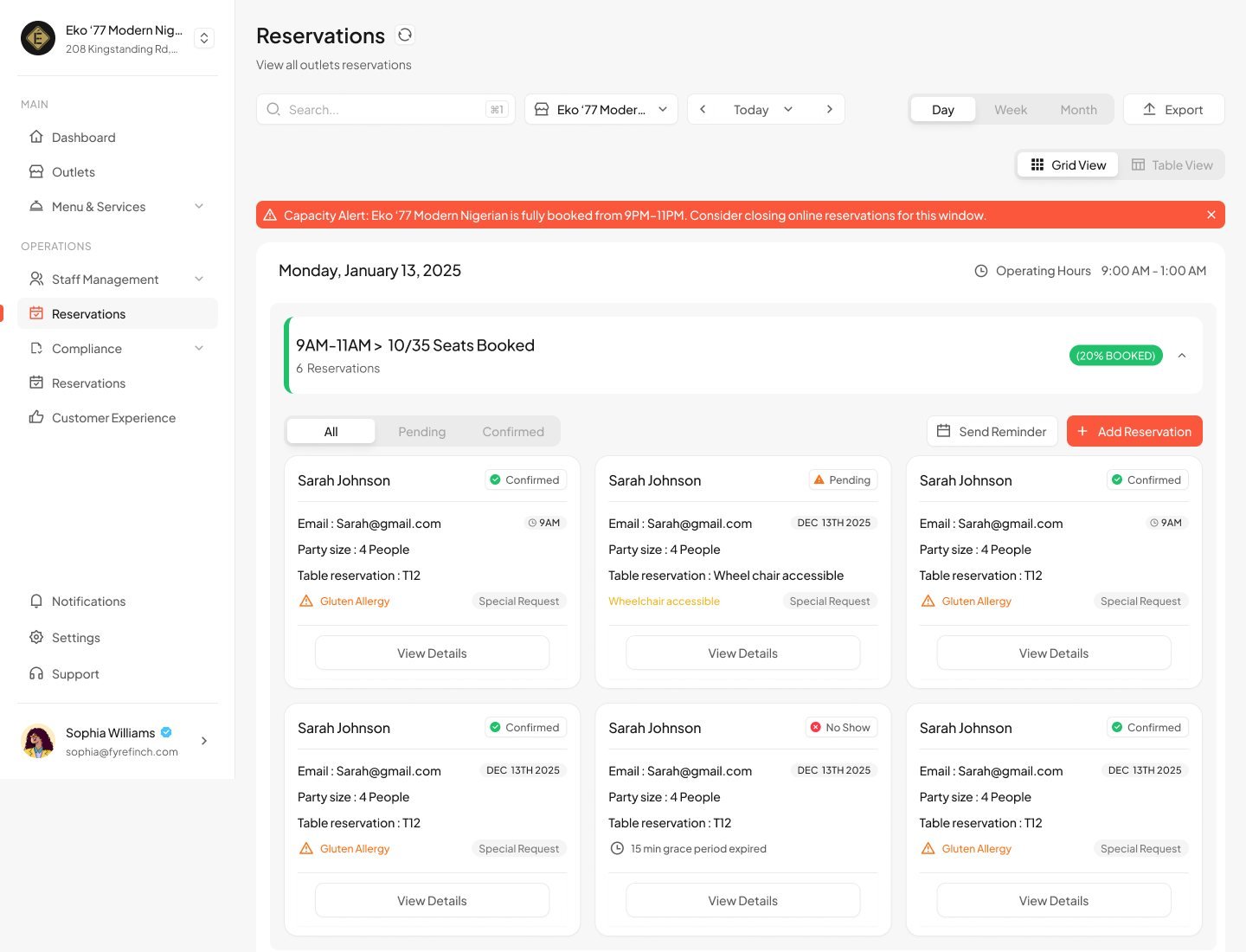
Bookings are grouped into time slots with seats booked against capacity, so the busy windows are obvious.
Capacity alert with a suggestion. "Fully booked from 9PM–11PM. Consider closing online reservations for this window." The alert says what to do, not just what happened.
Special requests up front. Allergies and accessibility needs show on the booking card, not hidden in a detail view.
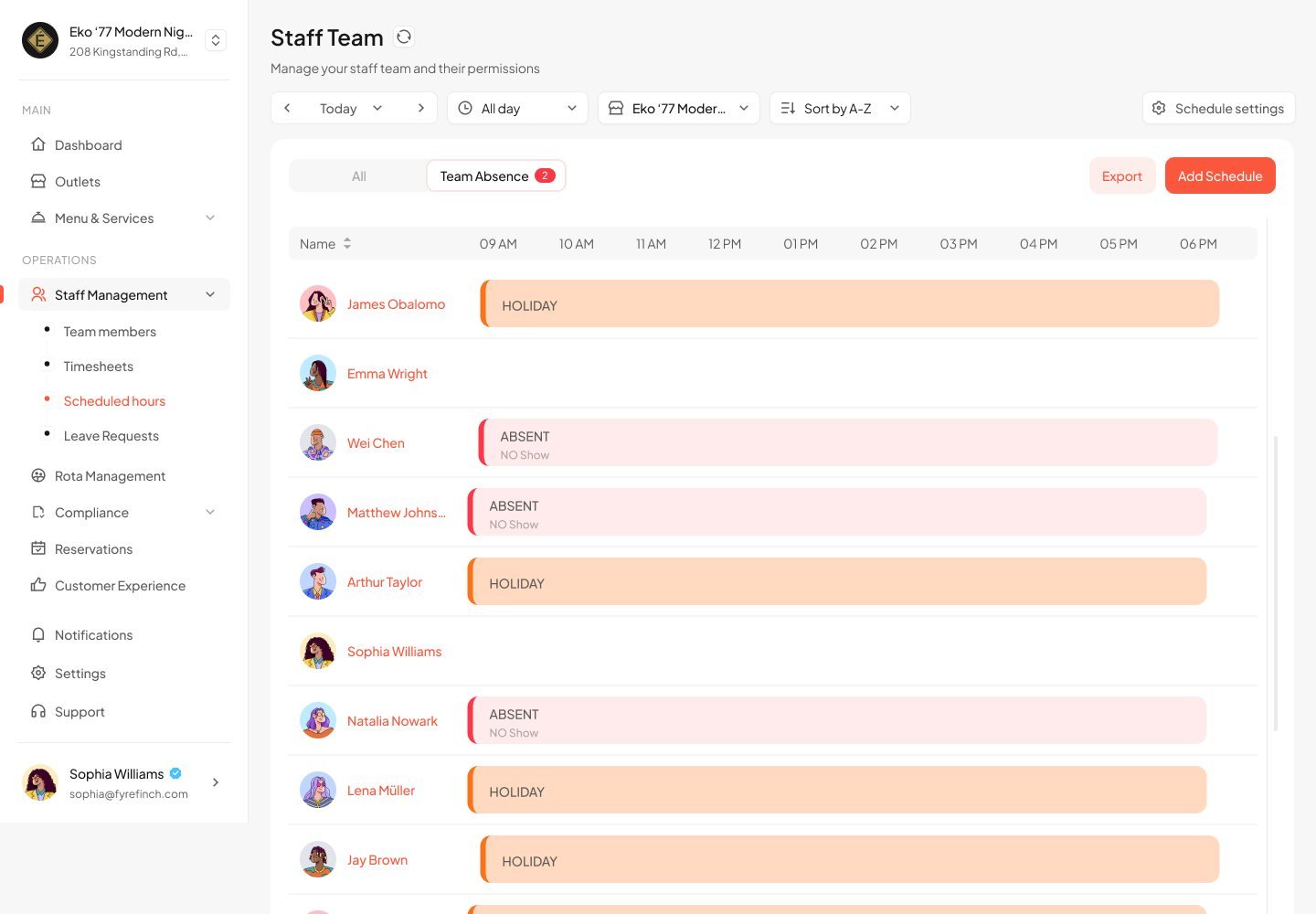
See who's in, who's out, and who's on shift
Team, timesheets, absences and shifts share one structure, so moving between them feels like changing a tab, not an app.
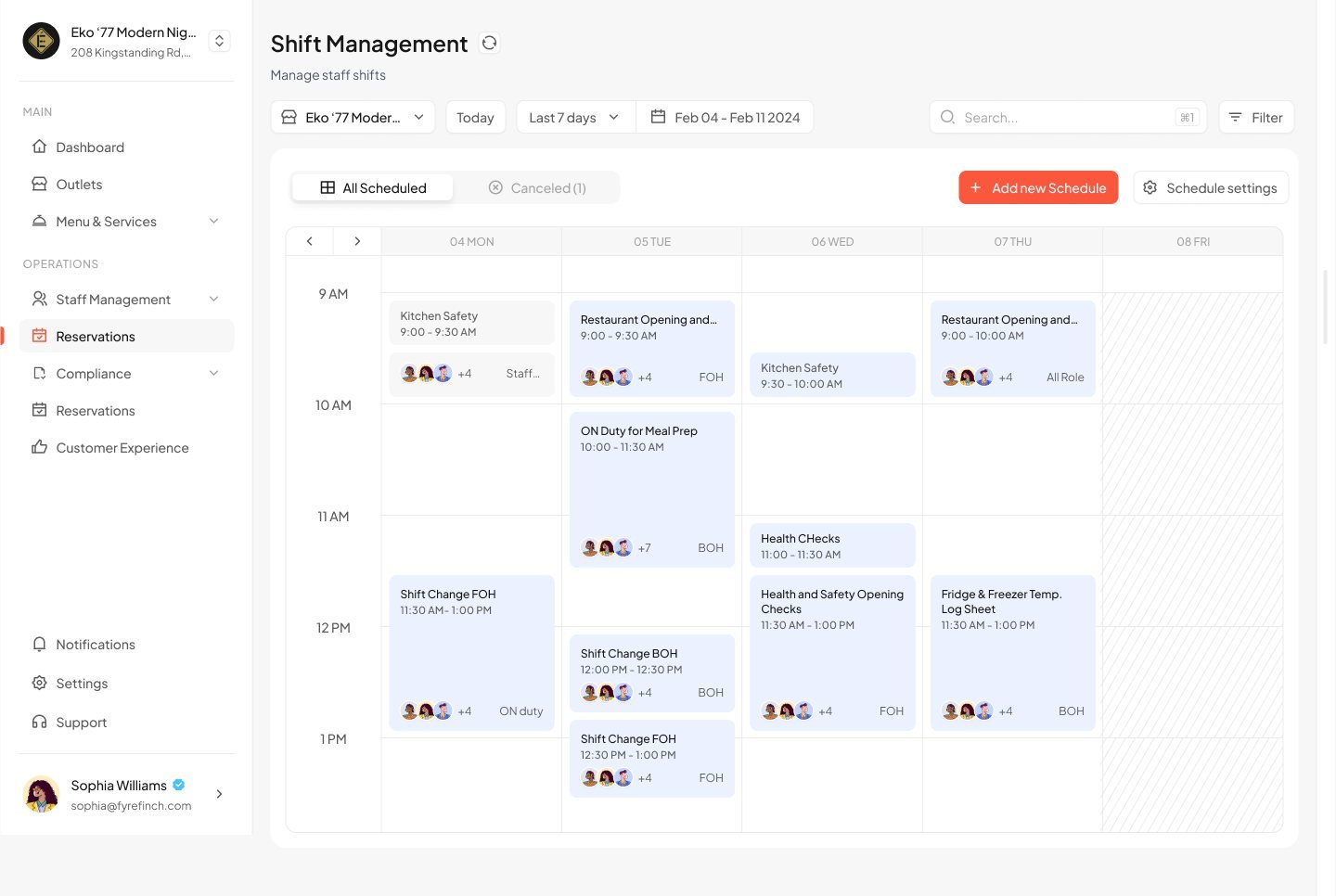
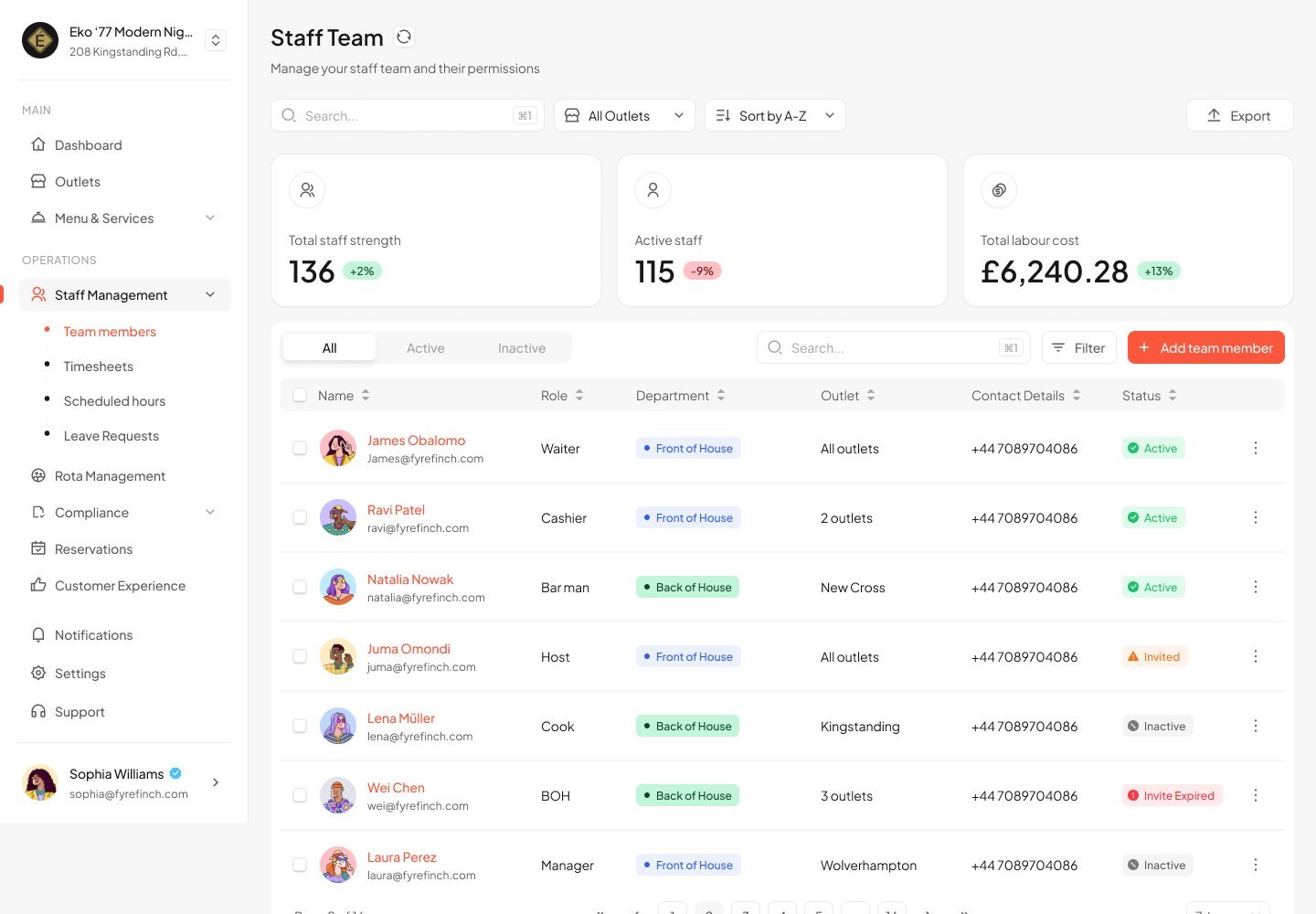
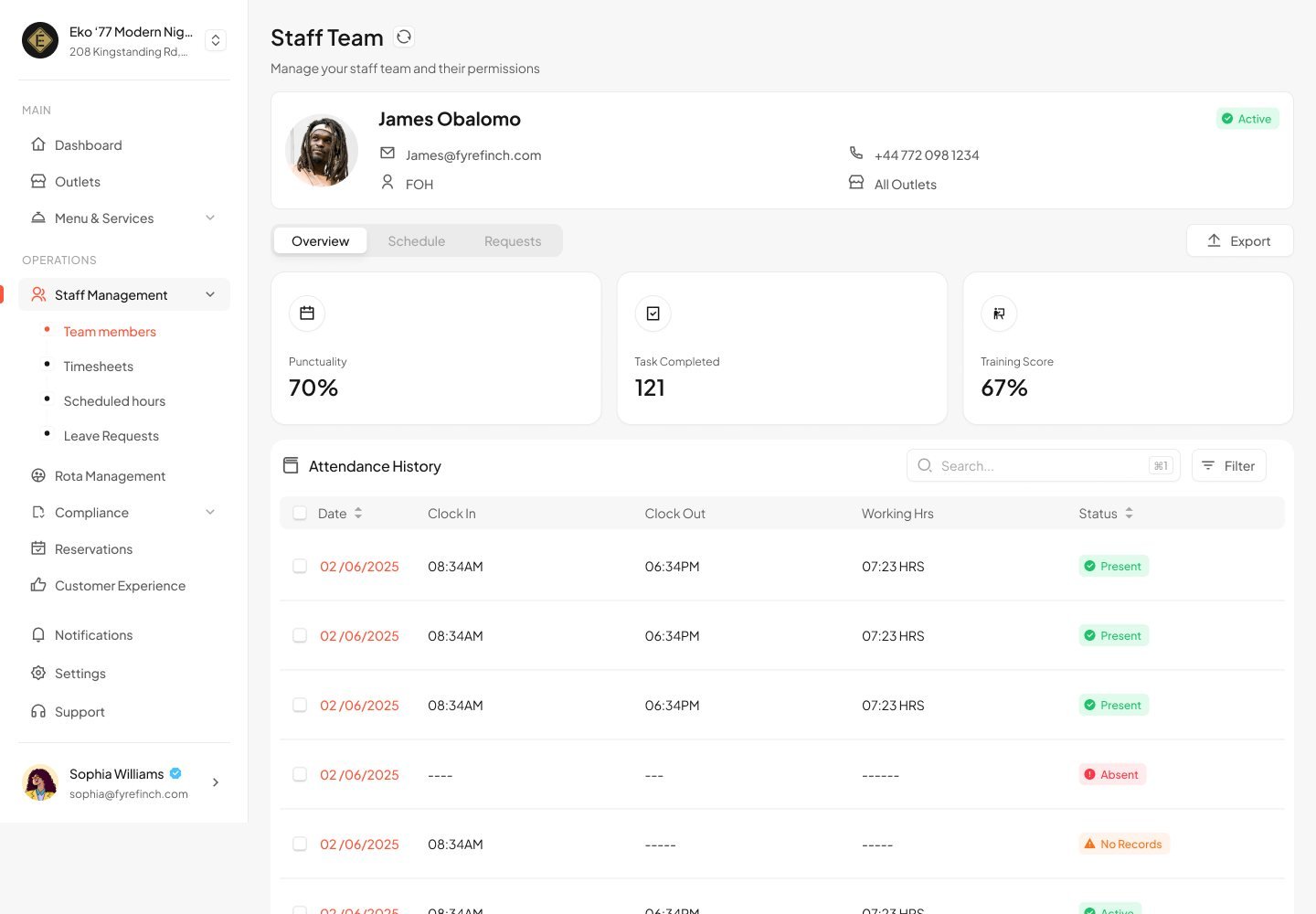
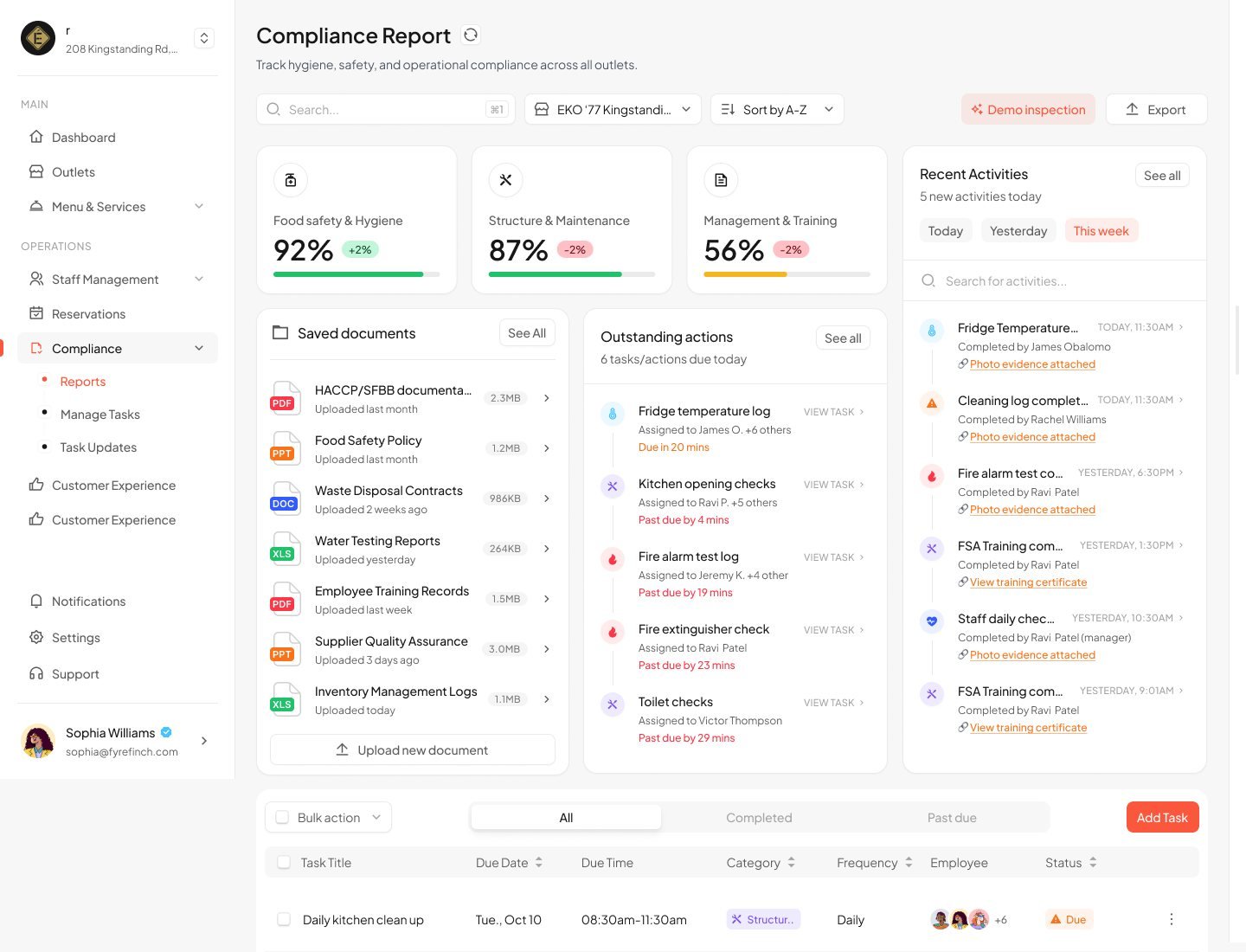
Compliance tasks such as fridge temperature checks appear as shifts in the rota, so they're assigned to a person rather than left on a checklist.
Every review, from every platform, in one queue
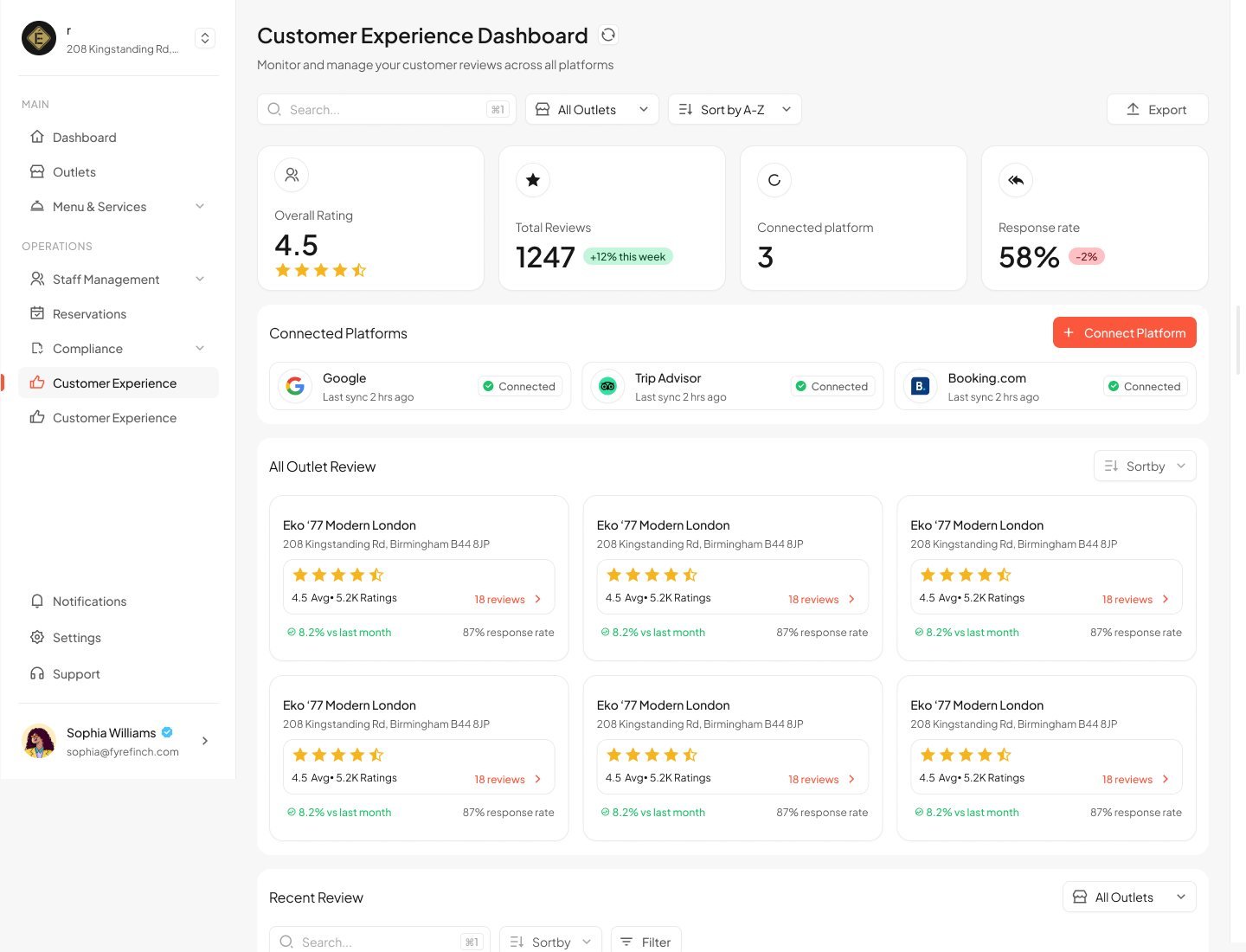
Google, TripAdvisor and Booking.com sync into a single dashboard with an overall rating, review volume and response rate.
Response rate as a headline number. Putting it next to the rating nudges owners to reply, not just read.
Compare outlets side by side. Each outlet card shows rating, trend and response rate in the same layout.
From an empty page to a live business
Once the outlets, menu and team are in place, the same screens fill with real numbers. The empty state and the live state share one layout, so nothing moves when the data arrives.
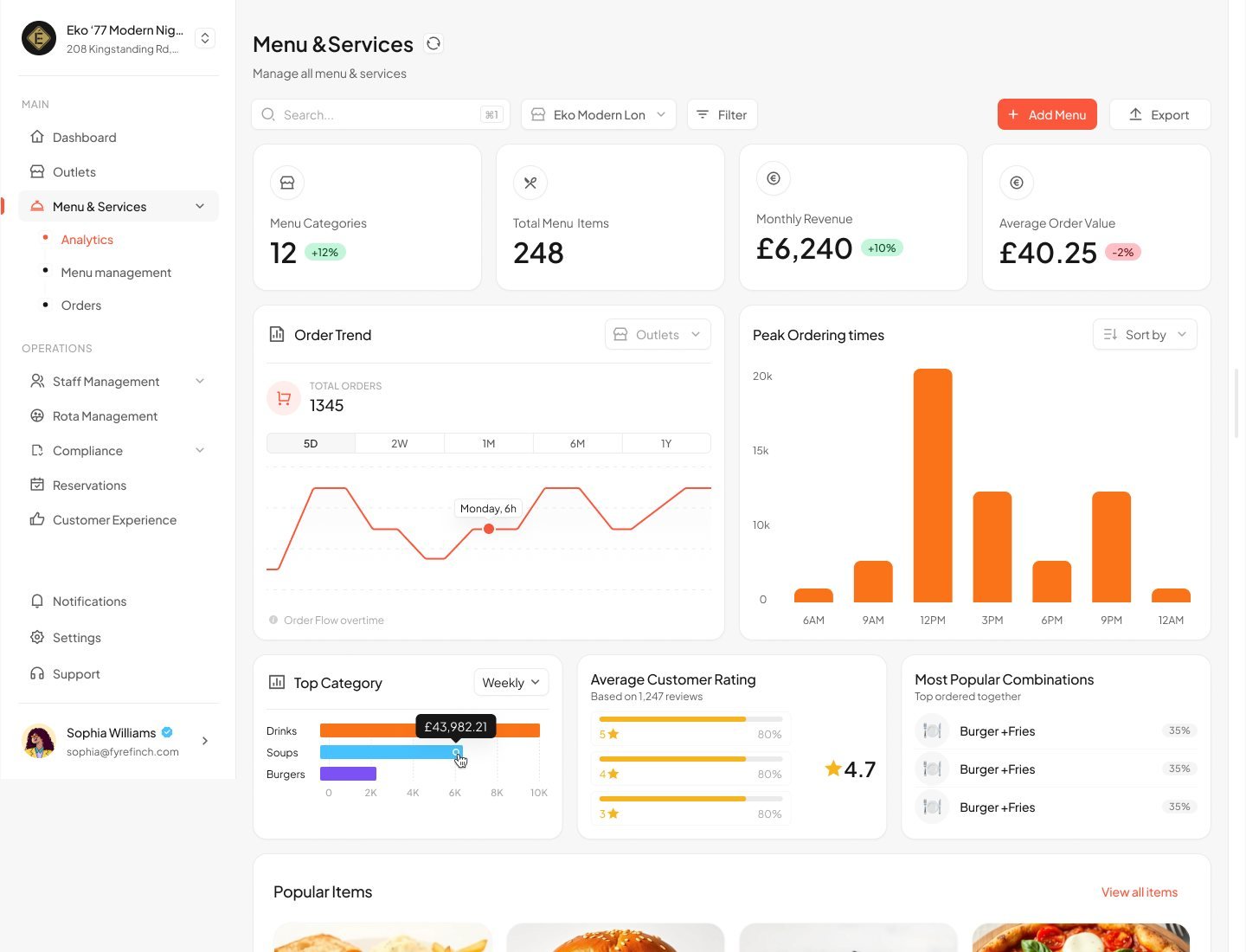
A small set of parts, used everywhere
Eight modules, built from the same few components. Every screen was designed at desktop, tablet and mobile widths.
Stat tiles
Every module opens with the same row of headline numbers and trends.
Status pills
One status language across compliance, staff, bookings and outlets.
Side drawers
Create and edit flows open from the right with a fixed header and footer, so the main action is always in the same place.
Shared toolbar
Search, outlet picker, date range, sort and export sit in the same order on every list.
Live, and running real restaurants
Fyrefinch launched and is in daily use, with owners setting up outlets, importing menus, running rotas and tracking compliance on it every day. The product name has been changed to respect the client's confidentiality.
Shipped and in daily use by restaurant owners in the UK.
Modules designed end to end, from empty state to live data.
Delivery platforms a menu can be imported from: Uber Eats, Deliveroo and Just Eat.
Back office replacing six separate tools.
What I learned
Empty states are the real onboarding
Designing the "nothing yet" version of each screen first made setup feel guided without needing a separate wizard.
Alerts should suggest an action
The capacity alert and the inspection simulator work because they tell owners what to do next, not only what went wrong.
Consistency scales
Fixing the toolbar, drawers and status pills early let eight modules ship without each one inventing its own patterns.
Design for the day after launch
Because the product went live and stayed in daily use, every flow had to hold up with real menus, real staff and real inspections, not just demo data.
Want to work together?
Open to projects, collaborations and full-time roles.